
Key takeaways
- For a new ecommerce business, QuickBooks Online is the practical choice; QuickBooks Desktop is a local program that Intuit is winding down.
- Intuit stopped selling new QuickBooks Desktop Pro, Premier, and Mac subscriptions to US customers on September 30, 2024, so a new seller can’t buy them; only Enterprise is still sold new.
- QuickBooks Online is cloud-based and connects to the ecommerce tools you need, like A2X for Shopify and Amazon payouts and your bank feeds; Desktop’s cloud integrations are thin and fade as support ends.
- The QuickBooks Online Plus tier is the usual entry point for ecommerce, because it adds inventory, COGS, and class tracking for channel-level profit.
- Desktop can still make sense for an existing, working setup or a brand that needs Enterprise’s advanced inventory, but plan around the support end dates.
- Existing Desktop users can migrate their data to QuickBooks Online, and the move is smooth when the books are set up correctly on the other side.
For a new ecommerce business, QuickBooks Online is the one to run, and Intuit has mostly made the decision for you: you can no longer buy QuickBooks Desktop Pro or Premier as a new US subscriber.
Here’s how the two compare for an ecommerce brand, and what to do if you’re still on Desktop.
QuickBooks Online vs Desktop: which should an ecommerce seller use?
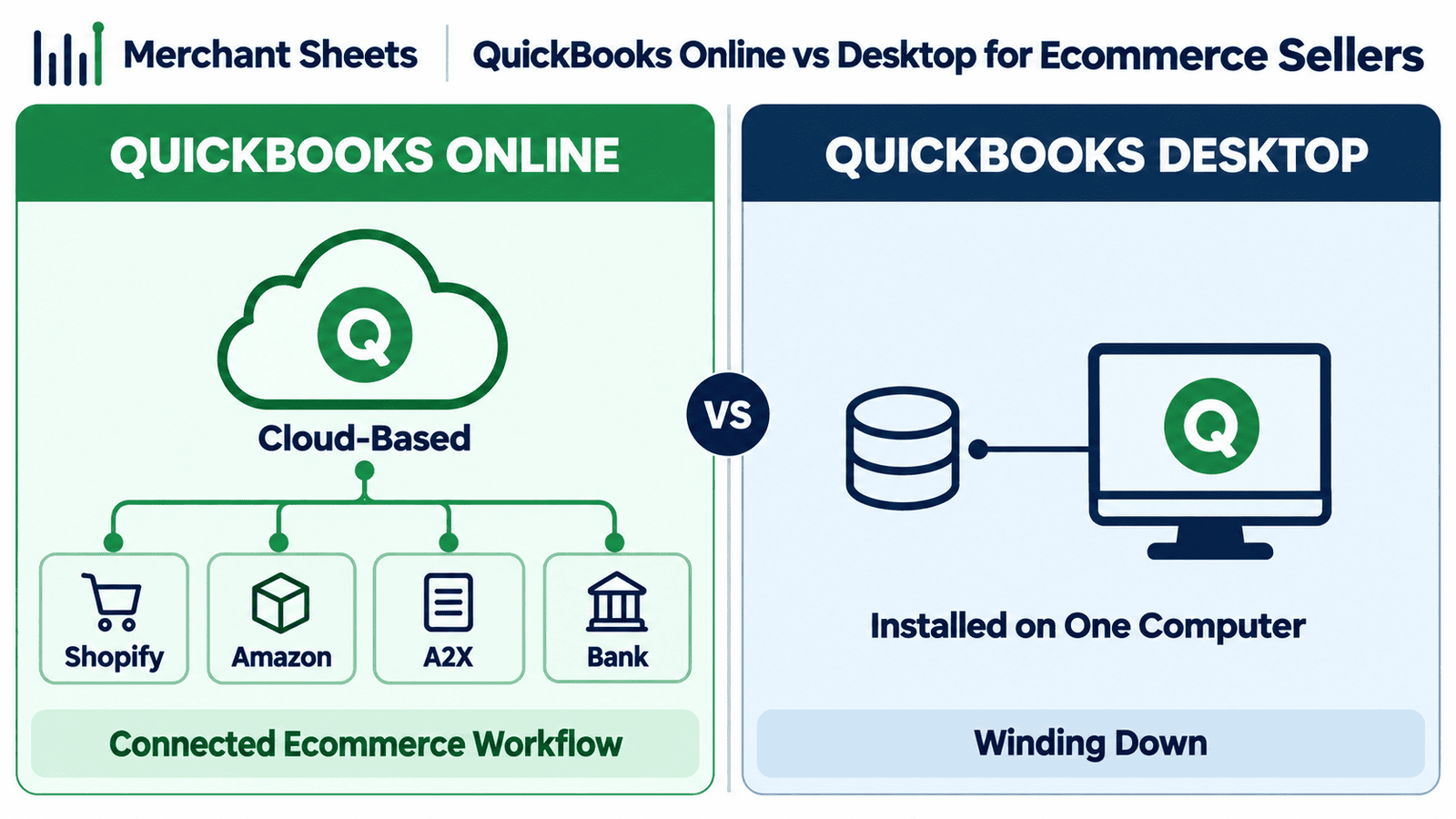
For a new ecommerce business, use QuickBooks Online. It’s cloud-based, it connects to the tools that pull your Shopify and Amazon data into the books, and it’s the version Intuit still sells to new customers.
QuickBooks Desktop is a program you install on one computer, and Intuit is winding it down, so a new seller mostly can’t buy it.
QuickBooks Online (QBO) runs in your browser; QuickBooks Desktop runs locally on a Windows or Mac machine.
That one difference drives most of what follows, because your ecommerce bookkeeping lives wherever your software does, and ecommerce runs on cloud tools.
It also means your books are backed up in the cloud and reachable from anywhere, instead of sitting on one computer that can fail or get left at the office.
If your real question is which cloud platform to pick, that’s a separate comparison of QuickBooks and Xero, since both are online.
Table 1. QuickBooks Online vs Desktop for ecommerce.
| QuickBooks Online | QuickBooks Desktop | |
| Where it runs | In the cloud, any browser or the app | Installed on one Windows or Mac computer |
| Available to new US buyers | Yes, all tiers | No for Pro, Premier, and Mac (stopped Sept 30, 2024); Enterprise only |
| Ecommerce app ecosystem | Broad: A2X, Shopify and Amazon connectors, bank feeds | Thin, and cloud integrations fade as support ends |
| Inventory and COGS | Tracked from the Plus tier up | Tracked, more advanced in Enterprise |
| Channel-level profit | Class tracking on Plus and Advanced | Class tracking available, less cloud-connected |
| Working with a bookkeeper | Both log into the same file | Send a backup file back and forth |
| Pricing model | Monthly subscription | Subscription, renewals only for most versions |
| Best for | New and growing ecommerce brands | An existing setup, or Enterprise-level inventory needs |
You mostly can’t buy QuickBooks Desktop anymore
As of September 30, 2024, Intuit stopped selling new QuickBooks Desktop Pro, Premier, Mac, and Enhanced Payroll subscriptions to US customers. Existing subscribers can keep renewing, and QuickBooks Enterprise is still sold, but a new ecommerce seller can’t buy the mainstream Desktop products.
| For a brand-new ecommerce seller, the choice is effectively made: you can’t buy QuickBooks Desktop Pro or Premier as a new US subscriber, so QuickBooks Online is the path unless you specifically need Enterprise. |
For a new seller, that closes the question, and Online is the path. For an existing Desktop user, it’s a matter of time.
Each Desktop version has a support end date, and once it passes, the payroll tax tables freeze, bank feeds disconnect, and security updates stop, which makes the software risky to keep running for live books.
If you’re not sure which version you have, it’s on the product’s Help or Product Information screen, and that tells you your support end date from the timeline below.
Table 2. QuickBooks Desktop availability and support timeline.
| Item | Status (as of early 2026) |
| New Desktop Pro, Premier, Mac, Enhanced Payroll (US) | New sales stopped September 30, 2024 |
| Existing Desktop subscribers | Can continue to renew and use their product |
| QuickBooks Enterprise | Still sold to new and existing customers |
| QuickBooks Desktop 2022 | Support ended May 31, 2025 |
| QuickBooks Desktop 2023 | Support ends May 31, 2026 |
| QuickBooks Desktop 2024 | Support ends September 30, 2027 (final non-Enterprise release) |
Why QuickBooks Online fits ecommerce
QuickBooks Online fits ecommerce because the work lives in the cloud and connects to the rest of your stack. A few things matter for a Shopify or Amazon brand.
It works with A2X or Link My Books, which posts your Shopify and Amazon payouts into the books as clean summaries, so a deposit reconciles instead of landing as a mystery lump sum.
Online handles reconciling sales across channels in one place, pulls your bank feeds automatically, and lets a bookkeeper log into the same file rather than trading backup copies.
On the plan side, the Plus tier is the usual ecommerce entry point because it adds inventory and COGS tracking and class tracking, which is what lets you see Shopify and Amazon as separate columns in one profit and loss.
Getting there cleanly means setting up your chart of accounts for how you sell, then wiring in each channel, whether that’s your Shopify accounting or your Amazon bookkeeping.
Desktop can do some of this on one machine, but the app ecosystem and the automatic connections live in the cloud, and that’s where ecommerce runs.
When QuickBooks Desktop still makes sense
Desktop still fits a couple of cases. An established brand with a heavy, working Desktop setup and years of history may have no reason to switch mid-stream.
And a business that needs QuickBooks Enterprise’s advanced or assembly inventory, think light manufacturing or kitting at scale, may choose it on purpose.
The honest read is that these cases are real but narrow. Even a good Desktop setup is on a clock as support windows close, so if you’re on Pro or Premier, start planning your move to Online now rather than later. Enterprise is the one Desktop product Intuit is still selling and supporting without an announced end date, so a brand that genuinely needs it can stay put. For most ecommerce sellers under a few million in revenue, none of that applies, and Online is the simpler, better-connected home for the books.
What QuickBooks Online costs for an ecommerce brand
QuickBooks Online is a monthly subscription, and most ecommerce brands land on the Plus tier. The tiers step up in what they track.
Simple Start and Essentials are too thin for a product business, because they don’t track inventory or let you tag income by channel.
Plus is the practical entry point: it adds inventory, COGS, and class tracking, and supports up to five users, so you and your bookkeeper both work in it. Advanced is for larger or more complex operations.
Prices move, so treat these as of early 2026 and check the current numbers before you sign up. Software is only part of the cost of clean books; what the bookkeeping itself costs is a separate question.
Table 3. QuickBooks Online pricing tiers (as of early 2026).
| Plan | Monthly (as of early 2026) | Ecommerce fit |
| Simple Start | $38 | Too thin; no inventory tracking |
| Essentials | $85 | Adds users and bills; still no inventory |
| Plus | $140 | The practical entry point: inventory, COGS, class tracking for channels |
| Advanced | $340 | Larger or more complex operations |
Migrating from QuickBooks Desktop to Online
Yes, you can move your Desktop data to QuickBooks Online, and Intuit provides a conversion path.
What generally comes over is your lists, balances, and historical transactions within some limits. What’s worth checking afterward is your opening balances, your inventory items, and your chart of accounts, since those are where conversions get messy.
Time the switch to a clean break, ideally the first day of a month or quarter, so you’re not splitting one period across two systems.
The bigger win is landing on the other side with the books set up for how you sell, your channels connected, and reconciling from day one.
Frequently asked questions
Is QuickBooks Desktop being discontinued?
Intuit stopped selling new QuickBooks Desktop Pro, Premier, and Mac subscriptions to US customers on September 30, 2024, and older versions lose support on a rolling schedule, though Enterprise is still sold.
Can I still use QuickBooks Desktop if I already have it?
Yes; existing subscribers can keep renewing and using it, but each version has a support end date after which payroll, bank feeds, and security updates stop.
Is QuickBooks Online or Desktop better for ecommerce?
QuickBooks Online, because it connects to A2X, Shopify, Amazon, and your bank feeds in the cloud, and its Plus tier tracks inventory, COGS, and channel-level profit.
Which QuickBooks Online plan do I need for an ecommerce business?
Usually Plus, because it’s the first tier that tracks inventory and COGS and supports class tracking for channel-level profit.
Is QuickBooks Online more expensive than Desktop?
They’re both subscriptions now, so compare the monthly Online tier you need against a renewing Desktop plan, and factor in the ecommerce apps Online supports that Desktop doesn’t.
Can I move my data from QuickBooks Desktop to Online?
Yes; Intuit offers a conversion that brings over your lists, balances, and historical transactions within limits, and you should verify opening balances and inventory afterward.
Should a new ecommerce seller buy QuickBooks Desktop?
No; new US customers can’t buy Desktop Pro or Premier, so start on QuickBooks Online unless you specifically need Enterprise.
